Install the Magic Bullet Suite
Magic Bullet Denoiser II comes packaged in the Magic Bullet Suite installer. This installer will automatically place the required Denoiser II components on your hard drive.
The Suite installer will also install the other products included in Magic Bullet Suite. With a few clicks, you can install all Magic Bullet products. Each product will install in Trial mode unless you input a serial number for a product. This lets you use the products you have purchased OR try new ones before you buy.
This page explains how to install the product you purchased and run the other products in Trial mode.
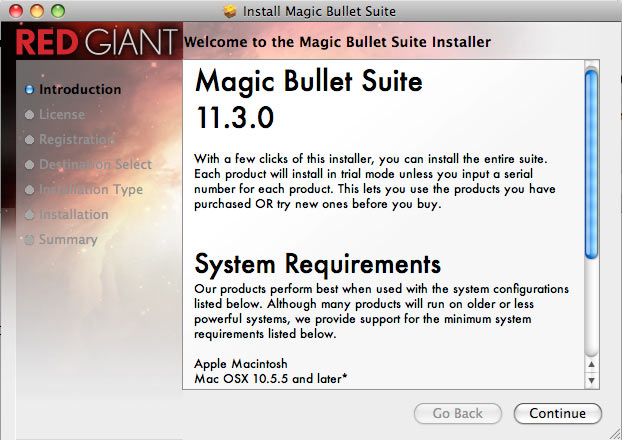
Welcome Screen: Read requirements
The Magic Bullet installer gives general host and OS specifications. Denoiser II currently runs inside After Effects and performs best when used with certain system configurations. Go to this page for the Denoiser II system requirements. For the latest compatibility information, please check www.redgiantsoftware.com/support/compatibility/.
Denoiser 1 Note: If you already have Denoiser 1 installed, you can keep that product installed. Installing Denoiser II will not overwrite or remove Denoiser 1, which means you can use both plug-ins without conflict. Due to the different technologies in each product, a Denoiser 1 project will not open in Denoiser II. However, since you can run Denoiser 1 and Denoiser II on the same machine, you will be able to open older projects.
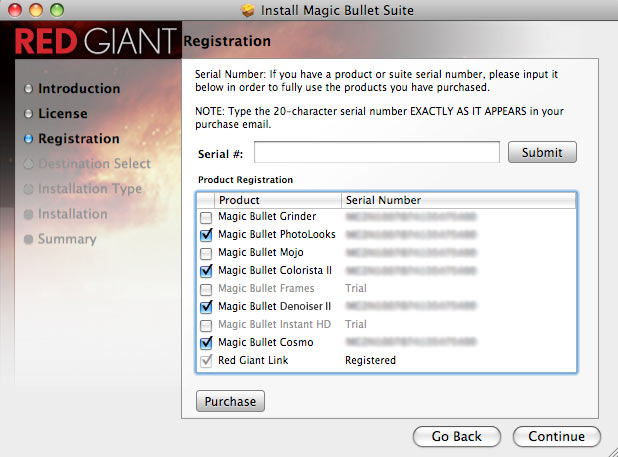
Registration Screen: Enter serial number
The installer will give you a choice of installing your Magic Bullet plug-in as a licensed product or in Trial mode. If you have a Serial Number for a product or suite, please input it to fully use the Magic Bullet product that you purchased. Go to this page for help with entering a serial number.
Support Note: You can use your Denoiser 1 or Magic Bullet Suite 11 serial number with Denoiser II. You do not need a new serial number for Denoiser II. (Hooray!)
Evaluate in Trial Mode
If no Serial Number is input, your Magic Bullet product will install in Trial mode. Running in Trial mode lets you try out a Magic Bullet product before you purchase it. Your project will show a red "X" across the image in both previews and final renders, but the Magic Bullet product is fully functional otherwise.
If you purchase a product after installation, you can unlock Trial mode with a serial number at any time.

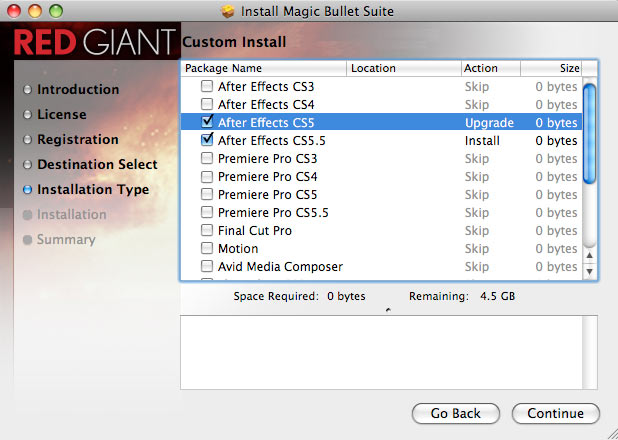
Custom Install Screen: Choose host applications
The Magic Bullet products will install into the host applications with a checkmark. Do not checkmark an application if you do not want it to receive the install. Make sure that you have checkmarked at least one host application or the Magic Bullet Suite will not install.