Support for cameras
Magic Bullet Grinder supports all video-capable Canon DSLR cameras, including all current and some past models. These cameras share the same video capture capabilities except the 5D II, which does not do 720p.
• Canon 5D mk II (1080p30, 1080p25, 1080p24)
• Canon Rebel T3i (1080p24, 1080p25, 1080p30, 720p50, 720p60)
• Canon Rebel T2i (1080p24, 1080p25, 1080p30, 720p50, 720p60)
• Canon Rebel 60D (1080p24, 1080p25, 1080p30, 720p50, 720p60)
• Canon Rebel 7D (1080p24, 1080p25, 1080p30, 720p50, 720p60)
• Canon Rebel 1D Mk IV (1080p24, 1080p25, 1080p30, 720p50, 720p60)
Support for file formats & codecs
The file formats supported by Grinder are:
• H264 files in variable bit rate format
The codecs supported by Grinder are:
• Apple ProRes 4444
• Apple ProRes HQ
• Apple ProRes Standard
• Apple ProRes LT
• PhotoJPEG Mac
NOTE: Grinder does not output iPod video.
Integration with Growl
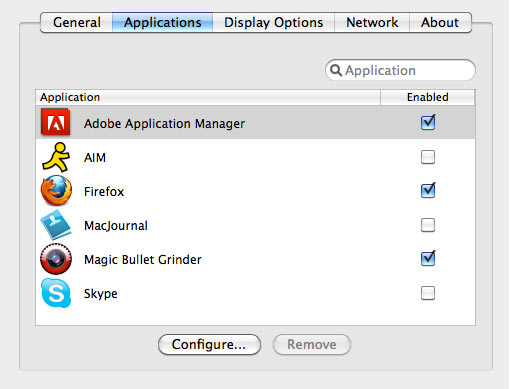
Growl is an application that lets Mac OS X applications unintrusively tell you when things happen. Growl is accessed as a System Preference panel. To get Growl notification for Grinder, Grinder must be installed on your system and show in the supported Applications list in the Growl panel. (see below)
Growl notifications are shown for the start of batch processing and upon completion of main and proxy batches. Grinder will opertate correctly without Growl, but it's nice to have Growl as a helper app.
To download Growl, go here: www.growl.info. This website will give you full support for installing and managing Growl options.