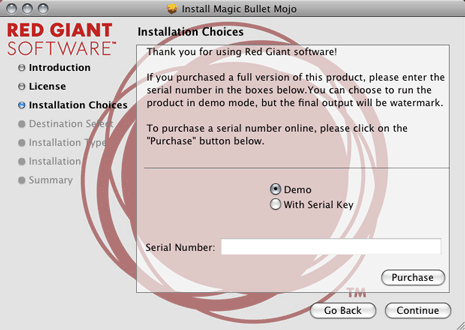
Installation
Magic Bullet Grinder comes packaged as a complete software installer. The installer will automatically place the required components on your hard drive and guide you through the process of installing the software.
Please check www.redgiantsoftware.com for the latest compatibllity information.
Activation
The final installation step before using Magic Bullet Grinder is entering your serial number into the registration dialog, which will appear the first time you run the installer. YOU MUST ENTER A SERIAL NUMBER TO USE MAGIC BULLET GRINDER IN AUTHORIZED MODE. You will receive a confirmation email after your purchase that contains your serial number.
The serial number for Magic Bullet Grinder appears in the following format:
AAAA #### #### #### ####
The activation code is a series of 20 characters. You must enter all digits to complete the activation. You can also choose to run the software in demo mode simply by leaving the fields blank. If you choose, you can enter the serial number after installation by pressing the Options button in any of the host applications. The following dialog will appear so you can authorize your version.
Demo Mode
If you choose Demo on installation, the application will run in demo mode until you enter a serial number. The output is unchanged but Grinder will only process 50 files. The 51st file will not be processed. You must purchase a serial number to unlock the application and continue to use Grinder for transcoding.