
Use PhotoLooks in LooksBuilder or Photoshop
Magic Bullet PhotoLooks is a plug-in for creating stylized moods and treatments for photographs or any other type of still media. PhotoLooks runs as plug-in inside Adobe Photoshop, Lightroom and Aperture. PhotoLooks can alternately be launched as a stand-alone application called LooksBuilder. This page talks about at how to use PhotoLooks in each of these ways.
Use PhotoLooks as a stand-alone editor
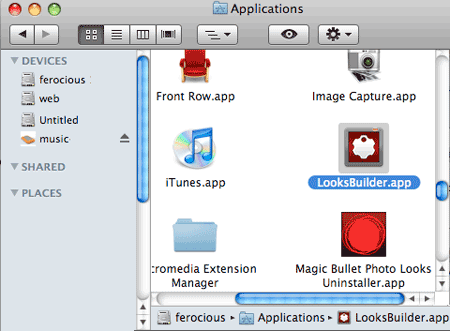
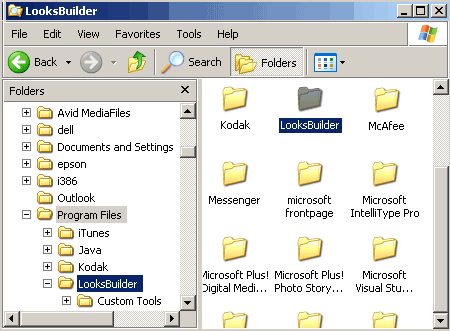
You can run PhotoLooks outside of a host application. When you install PhotoLooks, the product puts itself in your Applications folder (on Mac) or Program Files directory (on Windows). To launch PhotoLooks outside of a host application, just double-click the LooksBuilder application file.
To work on an image using LooksBuilder standalone, you will open that image through the File> Open Image File command. See the LooksBuilder Menu page for more details.
At left, the PhotoLooks application is the Applications folder on Mac. At right, the PhotoLooks application is the Program Files directory on Windows.
Use PhotoLooks as a Photoshop plug-in
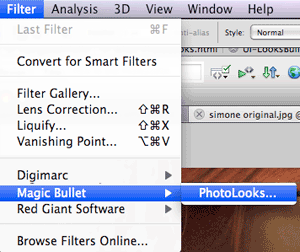
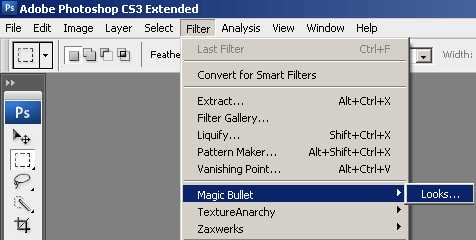
When you run PhotoLooks as a plug-in in Photoshop, the product is accessed and launched through the Filter> Magic Bullet> PhotoLooks menu. PhotoLooks works a little differently than some Photoshop plugins that you may be accustomed to. The plug-in launches its own interface window called LooksBuilder. Using LooksBuilder blocks off access to Photoshop proper until you render your color design.
PhotoLooks works on the image that you have open in Photoshop when you apply the plug-in. To render your color design, click the OK button at bottom right of the interface. See the About LooksBuilder page for more details.
When you use PhotoLooks inside Photoshop, the plug-in observes all of Photoshop's rules. You can create a mask in Photoshop and PhotoLooks will affect only what's inside that masked area. NOTE: If you use a non-rectangular Photoshop tool (Select tool or Lasso tool) then the PhotoLooks will only preview the selected area in the LooksBuilder as the rectangular area. But once you apply it in Photoshop it will only apply to the area you selected.