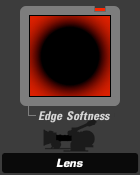
Edge Softness (appears in Lens)
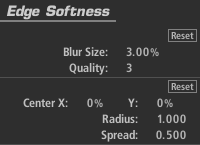
The Edge Softness tool creates a circular, out-of-focus area with controllable falloff and on-screen adjustments of position and size.
Blur Size: Size of the blur operation itself.
Quality: Number of blur iterations. The default of 3 is equivalent to a standard Gaussian blur operation.
The following controls can be drag-adjusted in the Preview area:
Center: The center of the blur region (and the least blurred area), expressed as percentage offset from the image center.
Radius: Size of the area outside which the blur operation is at full strength.
Spread: Threshold/softening region feathers the radius.