Spot Exposure (appears in Subject, Matte, Lens, Camera, or Post)
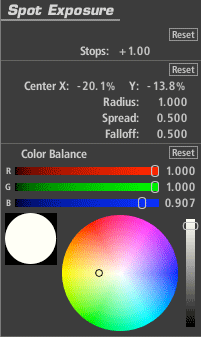
The Spot Exposure tool controls the light in a circular area of the image with on-screen adjustments for size and position.
Stops: With a 1.0 gamma, each positive stop doubles the amount of light, each negative stop halves it.
Center: The center of the blur region (and the least blurred area), expressed as percentage offset from the image center.
Radius: Size of the area outside which the blur operation is at full strength.
Spread: Threshold/softening region feathers the radius.
Falloff: Sets the median point between the Radius and Spread.
Color Balance: Tints the exposed regions.